
Xoxo, everyone — it’s Reznik, and today our sites are digging in for an all-out defense.
Did you build a unique, high-converting landing page? Don’t want your competitors stealing it? Get used to the idea — it’s getting stolen, guaranteed. If your target visitor can see the site, an attacker can always see it too. But you can make the job as hard as possible and drive up the price of stealing your site at least tenfold — from one dollar to ten. And AlterCPA One is here to help.
Say you’ve got a brand-new, cozy little online shop selling magic red thread straight from an authorized supplier — an equally cozy garment factory somewhere out past Tambov. You sank untold treasure into building it, and you’d rather this masterpiece of web-shop thinking didn’t end up in the hands of some crafty competitor.
To protect it, here’s what we’ll need:
- An account on AlterCPA One. Ideally paid and activated. Otherwise, you’ll need to pay for it first.
Just get the annual plan right away! - Your main target site. Ideally, move it to some inconspicuous domain with a random string instead of a real address, so regular users don’t stumble onto it by accident.
- A pretty domain that visitors will actually see — the one you’ll use in ad campaigns and promotion.
- A decoy site that scammers, bots, and other unwelcome guests will see instead. Your old online shop — the one you stole off a competitor way back when — works perfectly for this. It absolutely must sit on a domain that’s different from your target site!
- Bare-bones hosting to install the filter itself. The same hosting account where your main site already lives works fine. Or a direct parking server from AlterCPA, connected to your AlterCPA One account.
Step 1. Setting Up the Filter Site
Go to the “My Sites” section of your account at www.altercpa.one and add a new site. Use your pretty domain — the one traffic will actually land on — as the domain.
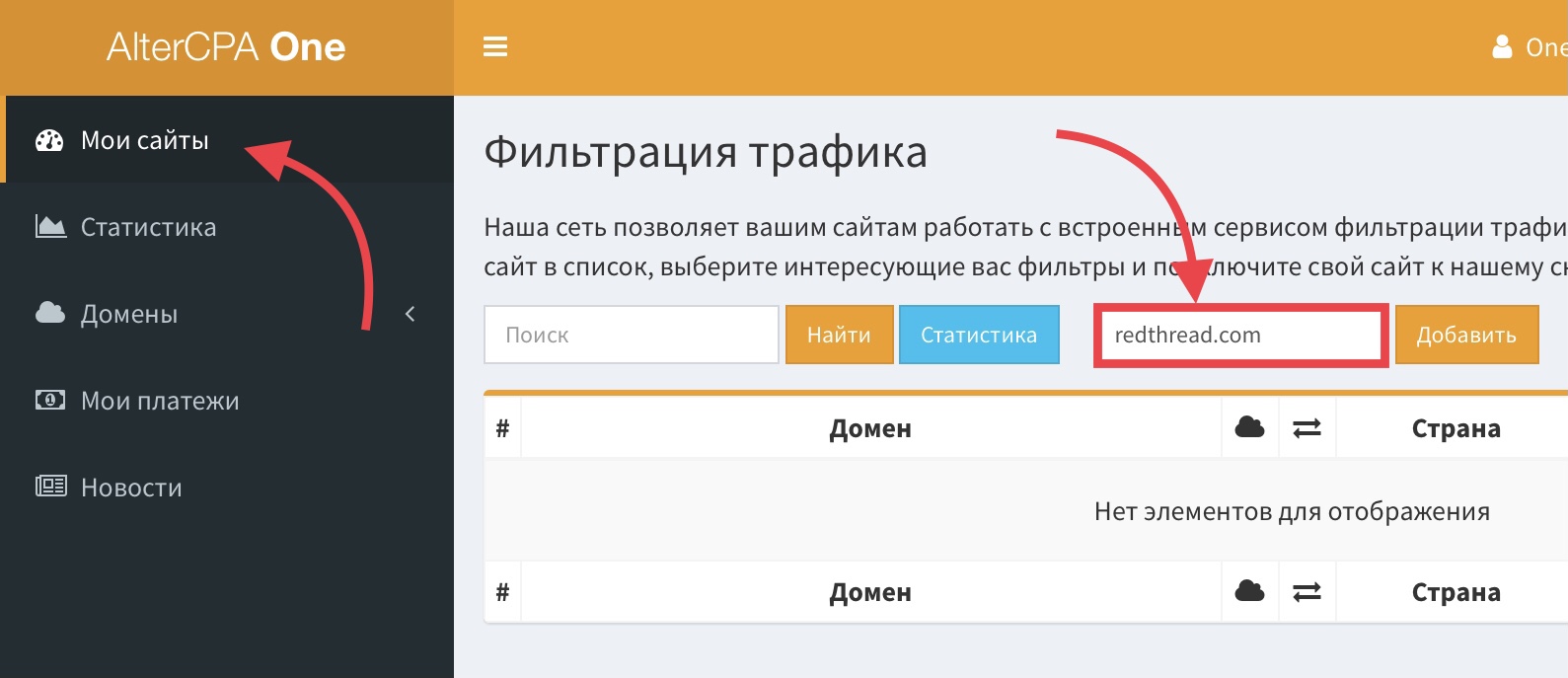
In the settings section that opens, we strongly recommend picking the countries you’ll actually accept traffic from. That alone will cut off bots running on cheap server capacity out of the Netherlands, Italy, or Germany.
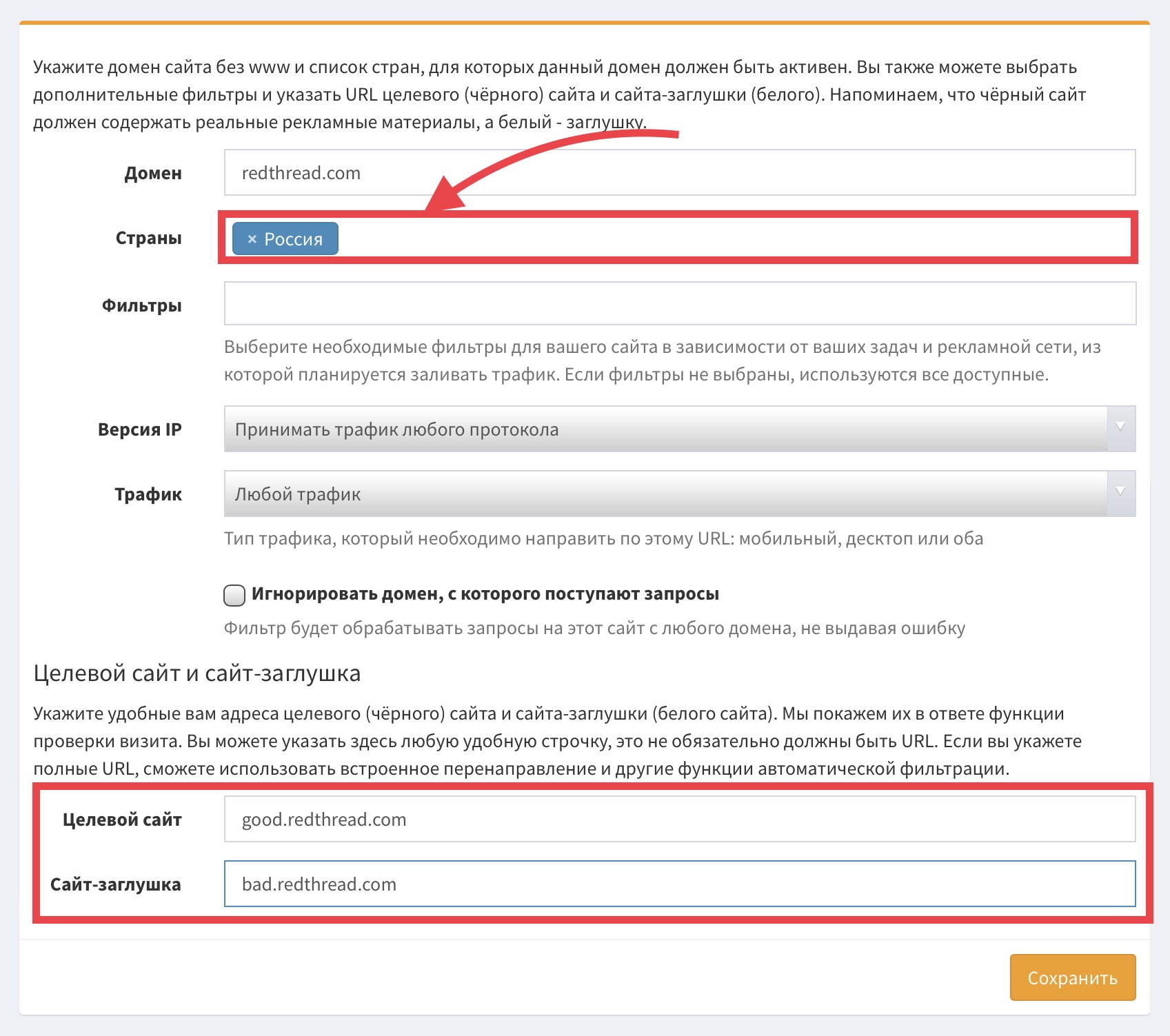
It’s best to leave the rest of the filtering settings at their defaults:
- An empty filter list turns on every available protection system.
- We need to accept traffic on any protocol, from any device.
- We don’t need to ignore the domain — we’re working with the pretty domain directly.
In the “Target site” and “Decoy site” fields, enter the domains for your target site and your decoy, respectively. We recommend entering plain domains rather than direct links — that gives you full, transparent filtering and lets you use links to nested product pages too.
You can just as easily use a full link for the decoy site. That still gives target visitors the full transparent experience, while sending every junk visit straight to one specific page on the decoy site.
Step 2. Deploying the Filter Site
Save the site settings and head to the “Instructions” section.
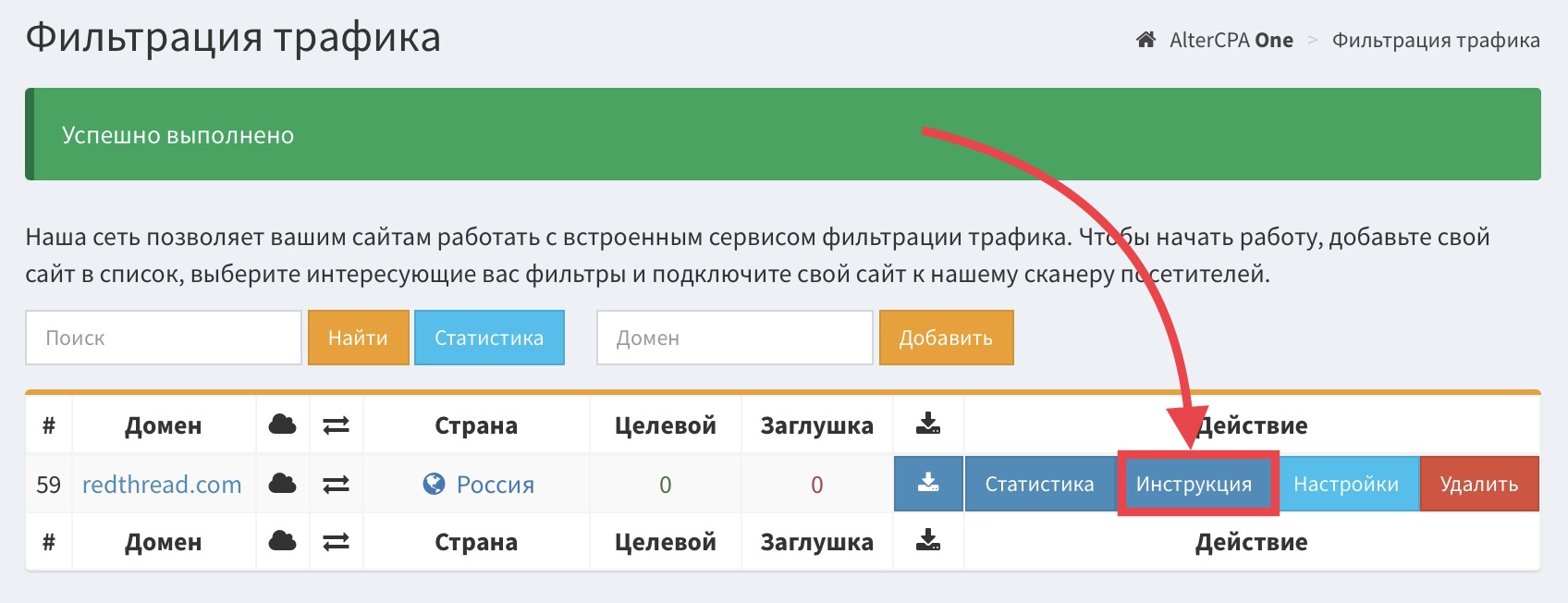
In there you’ll find a section called “Automatic connection via AlterCPA White,” and inside it, an item called “Dynamic site via proxy” with a magic “Download” button. Download the ready-made archive and put it on your hosting.
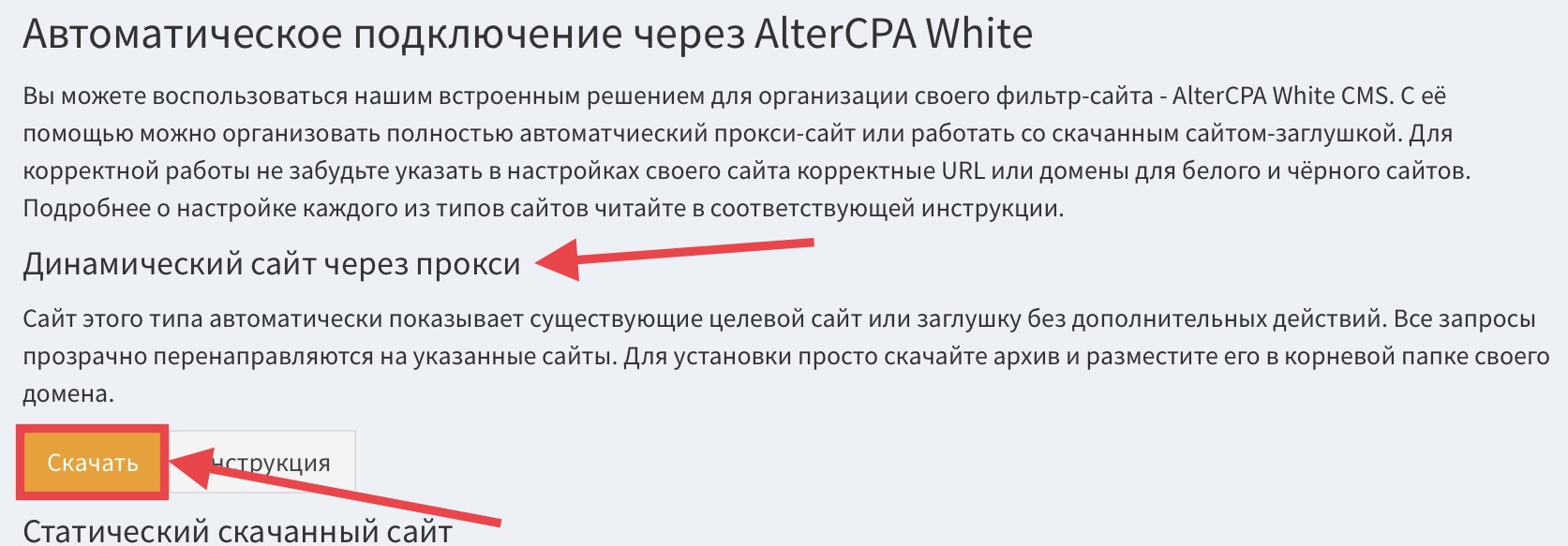
Go into your hosting control panel, add a new site there using your pretty domain, and enable PHP support if you need to. Connect to your hosting over FTP and delete every leftover file in the new site’s root folder. Then drop the contents of the downloaded archive into that same folder.
Step 3. Checking That It Works
Open your pretty domain in a browser. It works. Now ask a friend in another country to open the same pretty domain. It doesn’t.
That’s all there is to it — enjoy the results!
That’s it from Reznik — xoxo, everyone!